Planet Zoo 2 Sandbox Mode: Unlimited Creativity, Zero Pressure
Planet Zoo 2 Sandbox mode removes money limits so you can enjoy unlimited creativity. Learn how blueprints, scenery themes and tools work without pressure.
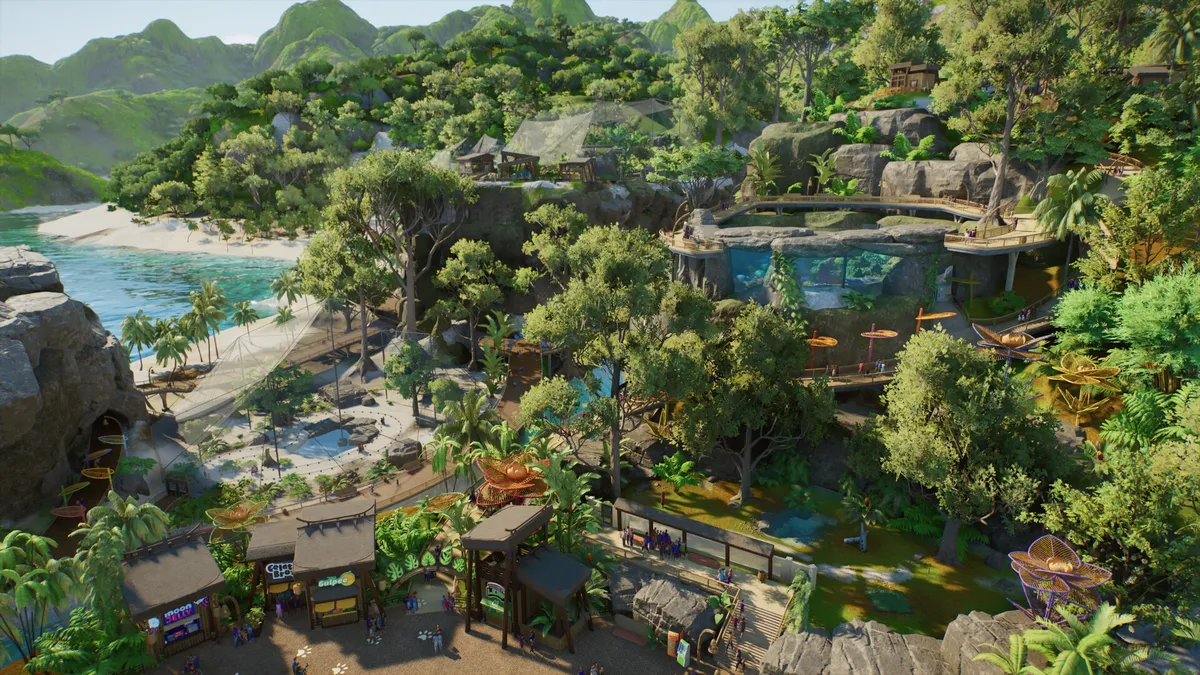
Sandbox mode is Planet Zoo 2’s creative playground. In Frontier’s official mode description, this is where you “enjoy unlimited creativity” — and that single phrase tells you everything about the design intent. No debt, no failing budgets, no ticking mission clock. Every system that exists in the other modes is here, freed from economic consequence and waiting to be used for one purpose: building the zoo you actually want.
What “Unlimited” Actually Means
In management-sim terms, unlimited means the removal of financial friction. Construction, animal purchases, staff and research do not drain a budget you must defend. You can start a habitat, hate it, delete it and start again without watching your cash reserves. You can house a species properly — the space, the water, the foliage, the enrichment — from day one, instead of compromising while you save up.
Just as importantly, unlimited means unlimited iteration. The tools Frontier has confirmed for Planet Zoo 2 — ready-to-place blueprints, piece-by-piece construction, scaling, flexi-colour and pathing systems, terrain and foliage brushes — reward experimentation. Sandbox is the mode where you can spend an hour perfecting one rock formation or repainting one building, because nothing else is competing for your attention.
Blueprints as Creative Instruments
Blueprints are pre-built pieces — whole habitats, shops, scenery arrangements — that you place instantly. In Career and Franchise modes they are a shortcut; in Sandbox mode they become compositional building blocks. Frontier has confirmed that Planet Zoo 2 ships with a range of ready-to-place blueprints covering its scenery themes, and Sandbox is where mixing and matching them stops being a compromise and becomes an art form.
Try placing a blueprint, then breaking it open. Use one as a skeleton and rebuild its surroundings piece by piece. Chain several blueprints into a themed district, then unify them with flexi-colour so the whole area reads as one vision. Because Sandbox removes the budget, you can place, study, delete and rebuild a blueprint as many times as you like — treat each one as a lesson in how professional-quality habitats are structured, then steal the techniques for your own designs.
Sandbox is also where the new scenery themes shine. Four brand-new themes and five returning themes from the original Planet Zoo give you globe-spanning architecture to dress your zoo in — learn the palette in our scenery themes guide.
The Joy of the Museum Zoo
Some of the community’s most loved projects from the original Planet Zoo were built in Sandbox: museum-quality zoos where every enclosure is a diorama and every path corner frames a vista. Planet Zoo 2’s confirmed toolset — terrain and foliage brushes, scaling, flexi-colour, easy pathing — is tailor-made for that ambition. If your happy place is an afternoon spent composing one perfect view, Sandbox is the only mode that never interrupts you with a red budget number.
The Perfect Testing Ground
Sandbox mode has a practical side that veteran players lean on heavily: it is the ideal place to learn systems before you bet a real economy on them. Want to understand how deep water needs to be for aquatic species, or how much grazing land a herd consumes? Build it in Sandbox, watch the animals, then apply the lesson in Franchise mode where mistakes cost money.
It works as a rehearsal space for Career mode too. The beginner guide covers the fundamentals, but Sandbox is where fundamentals become instincts. Place a habitat, open it to guests, watch the flow of foot traffic, then adjust your pathing. Nobody charges you for the lesson.
Sandbox is also the natural home for Planet Zoo 2’s newest animal categories. Fully aquatic species and flying birds ask for exhibit types — aquariums and aviaries — that behave differently from land habitats. Prototyping an underwater viewing tunnel or a walk-through aviary in Sandbox lets you master sightlines, barriers and guest flow before you commit real funds elsewhere. Our aquatic animals guide and flying birds and aviary guide cover what those exhibits demand.
Ideas to Try in Sandbox Mode
If unlimited choice feels paralysing, give yourself a brief. Build a single-species sanctuary where one animal — say, the giant panda — gets the best habitat you have ever made. Recreate a real zoo you have visited, theme by theme. Or take one of the four new scenery themes and push it to its limit: an all-North alpine village, an all-East tropical paradise, an all-South nature reserve, an all-West pastoral idyll.
Time-limited personal challenges work beautifully too. Give yourself one in-game year to turn a blank map into a guest-ready park using only blueprints, then repeat the challenge piece by piece and compare the results. The goal of Sandbox is not to finish — it is to find out what you like building before the modes that keep score begin.
When Sandbox Is Not the Answer
Honesty matters here: Sandbox mode removes the tension that makes the other modes meaningful. If you thrive on economic pressure, on trading animals with other players and protecting a fragile budget, Franchise mode is your game — our Franchise mode guide explains why. If you want purpose and story attached to your building, the FEN campaign in Career mode delivers it; see our Career mode guide.
Sandbox is best treated as the game’s studio rather than its campaign. The joy it offers is authorship, not survival.
Who Should Play Sandbox Mode?
Sandbox suits creative builders first: the players who screenshot their zoos, share them with the community and start a new map the moment an idea strikes. It suits perfectionists who want every fence line intentional, and newcomers who would rather learn by doing than learn by going bankrupt.
Load Sandbox, pick a theme, place your first blueprint — and enjoy unlimited creativity exactly as Frontier intended, one perfect enclosure at a time.
Related Articles
building
Planet Zoo 2 Blueprints Guide: Ready-to-Place vs Piece-by-Piece
Planet Zoo 2 blueprints let you place pre-built designs instantly, or build piece by piece with scaling, flexi-colour and pathing tools. Here is when to use each.
game-modes
Planet Zoo 2 Career Mode: The FEN Global Adventure Explained
Planet Zoo 2 Career mode sends you around the world with FEN, the Fauna and Ecosystems Network, to build zoos and rewild Wildlife Reserves.
game-modes
Planet Zoo 2 Franchise Mode: Long-Term Zoos and Player Trading
Planet Zoo 2 Franchise mode challenges you to run a zoo for the long term and trade animals with other players. Here is how its economy works.
Was this helpful?
Thanks for the feedback!